

As we know time is precious when running your own business and the last thing you want to do is deal with a ton of spam emails in your inbox and stop you from being productive dealing with important emails.
Unfortunately, if you don’t take control and stop spam you run the risk in some cases corrupting frontend messages on your website.
What is contact form spam?
In simple terms, contact form spam is when unwanted messages make their way through your website’s forms, many times without you even noticing. It is very common, and the best course of action depends on what and how you are using your contact form(s).
reCAPTCHA
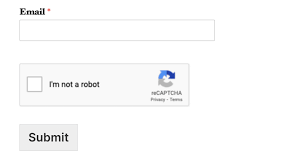
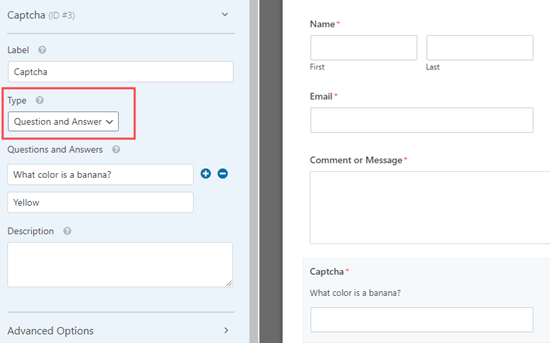
Many contact form plugins have a reCAPTCHA option that you can activate in the settings which bots cannot read only a human user. Contact Form 7 also has other CAPTCHA options, for example, you can set an easy quiz question people have to answer before submitting the form.
Spam Honeypot
Some reCAPTCHA plugins offer a honeypot which is a set question to answer.
Install an AntiSpam PlugIn – I use CleanTalk
The main function of CleanTalk is providing the owners and administrators of websites a reliable tool for protecting your web site against spam and spambots. Invisible for visitors, simple and convenient for administrators, CleanTalk blocks 99,998% of the spam. Thanks to its capabilities, CleanTalk surpasses analogs in: the accuracy of spam detection, the speed of the plugin, provides a report about the work of the service and the availability of additional option SpamFireWall.
CleanTalk Anti-Spam is a cloud service protection from spam for websites. CleanTalk uses protection methods that are invisible to site visitors. Connection to the service eliminates the need for Captcha, questions and answers and other methods of protection, that complicate the exchange of information on the website.
How does it work?
- A visitor writes a comment or registers.
- CleanTalk Anti-Spam plugin sends action parameters in cloud service.
- The service analyzes the obtained parameters.
- If it’s a visitor, then the comment is published. If it’s a spam bot, then CleanTalk blocks this comment or registering.
- The parameters are written to the log, which you can see in the dashboard.
The cost of the license for one website is $8 per year.
Find out more info HERE